Finance & Accounting... The Art of Business Prosperity

Financial and tax management is the art of helping a company thrive

How to Choose Finance & Accounting Tools?

Select the right finance & accounting tools to improve financial efficiency and compliance

Bookkeeping & Auto-Categorization

•
Auto Recognition
Whether it can automatically read invoices, receipts and bills
•
Category Management
Whether it can auto-categorize by income, expenses, projects or departments
•
Multi-Account Integration
Whether it can unify management of bank accounts and payment platform data
•
Duplicate Detection
Whether it can automatically detect duplicate transactions or anomalous entries

Tax Filing Support

•
Local Regulations
Whether it supports tax filing processes for your country or region
•
International Tax
Whether it can handle cross-border transactions and multi-currency tax filing
•
Automatic Calculation
Whether it automatically calculates tax payable, deductions and refunds
•
Report Generation
Whether it can output files in required tax filing formats

Budget & Forecasting

•
Historical Data Analysis
Whether it can generate budget forecasts based on past transactions
•
Trend Analysis
Whether it can predict revenue, expense and cash flow trends
•
Scenario Simulation
Whether it can simulate financial impact of different operational strategies
•
Smart Alerts
Whether it alerts for budget overruns or revenue deviations

Compliance & Security

•
Security Standards
Whether it complies with PCI-DSS, ISO 27001 and other standards
•
Access Control
Whether permissions can be set to ensure data security
•
Privacy Protection
Whether sensitive data is encrypted and anonymized
•
Audit Support
Whether it supports financial audit records and operation tracking

Visualization & Reports

•
Cash Flow Reports
Whether it generates cash flow charts
•
P&L and Balance Sheets
Whether it automatically generates standard financial statements
•
Custom Reports
Whether custom metrics and formats can be configured
•
Data Export
Whether it supports PDF, Excel, and visualization chart exports

Pricing & Flexibility

•
Free Tools
Wave (completely free), ExpenseMonkey (free), TaxJar (freemium)
•
Budget-Friendly
Expensify ($5/month), Keeper Tax ($9.99/month)
•
Mid-Range
QuickBooks Self-Employed ($15/month), FreshBooks ($15/month)
•
Premium Solutions
QuickBooks Online (from $30/month), Xero (from $13/month)

2025 Finance & Accounting Tools: Top 10 AI Tools & Digital Employees

(Product information is subject to change, please visit each tool's official website for the latest information)

Financial and tax management are critical elements of running a successful solo business. The right tools help you automate tax calculation and filing, process invoices and receipts, track income and expenses in real time, stay compliant with tax rules, and gain actionable financial insights.

Whether you need to reduce manual bookkeeping work, avoid compliance risks, or generate meaningful financial reports, the tools on this page are organized by common financial operations to support solopreneurs of all types.

Automated Tax Calculation & Filing

Automated tax calculation and filing tools help solopreneurs calculate tax payable, prepare filings, and submit returns accurately and on time. They reduce manual errors, manage complex tax rules, and help ensure compliance with local tax regulations.

TaxJar logo

TaxJar

Automated Tax Calculation & Filing

Free/Paid

Professional sales tax automation platform providing accurate tax calculation, filing, and compliance services for e-commerce and online businesses. Through API integration, automatically calculates sales tax across states, generates tax reports, simplifies complex tax processes, ensures business tax compliance, and reduces manual errors and audit risks.

Main Features

Automatic connection to major e-commerce platforms for tax calculationReal-time sales tax calculation and rate updatesMulti-state tax compliance and automated filingDetailed tax reports and analytics dashboard

Main Advantages

  • ✓High-precision tax calculation reduces compliance risks
  • ✓Automated processes save significant manual time
  • ✓Professional e-commerce tax solution
  • ✓Real-time rate updates ensure compliance

Considerations

  • âš Primarily focused on US market sales tax
  • âš Free version has low transaction limits
  • âš Advanced features require paid subscription
  • âš Initial setup requires some learning curve

Target Audience

👤E-commerce businesses
👤Online retailers
👤Small businesses selling across states
👤Startups needing sales tax compliance

Pricing Model

Free version supports 500 transactions/month, paid plans start at $19/month with tiered pricing by volume and features

User Reputation

Leading platform in e-commerce tax automation, trusted by numerous online merchants. Holds an important position in the US tax software market with over 500,000 users trusting the platform. Recommended by professional accounting associations as a tax calculation tool with over 99.5% accuracy rate. Users praise its user-friendly interface and precise calculations, making it the preferred platform for SMB tax management.

Watch Reference Video

TaxJar Sales Tax Automation Tutorial

TaxJar Sales Tax Automation Tutorial

TaxJar Sales Tax Automation Tutorial
Keeper Tax logo

Keeper Tax

Recommended

Automated Tax Calculation & Filing

Free/Paid

Smart tax management app designed specifically for freelancers and 1099 contractors, using AI technology to automatically identify and categorize tax deduction items. Connects bank accounts and credit cards to track business expenses in real-time, maximizes tax deductions, simplifies tax filing process, and helps users save more on taxes.

Main Features

AI automatically identifies and categorizes tax deduction itemsConnect bank accounts for real-time business expense trackingSmart expense categorization and deduction suggestionsSimplified tax preparation and document organization

Main Advantages

  • ✓AI technology maximizes tax savings
  • ✓Tailored specifically for freelancers
  • ✓High automation reduces manual work
  • ✓Mobile access for tax management anywhere

Considerations

  • âš Primarily applicable to US tax system
  • âš Short free trial period
  • âš Relatively high annual fee
  • âš Requires bank account connection

Target Audience

👤Freelancers
👤1099 contractors
👤Small business owners
👤Self-employed individuals

Pricing Model

14-day free trial, annual fee $167, yearly subscription includes all AI features and tax support

User Reputation

Innovative platform in freelancer tax management, renowned for AI technology and tax savings. Rated 4.5+ stars on both App Store and Google Play with extremely high user satisfaction. Named one of the best small business tax apps by Forbes and other authoritative media. Used by over 1 million small business owners, helping save an average of $2,000 in tax costs annually.

Watch Reference Video

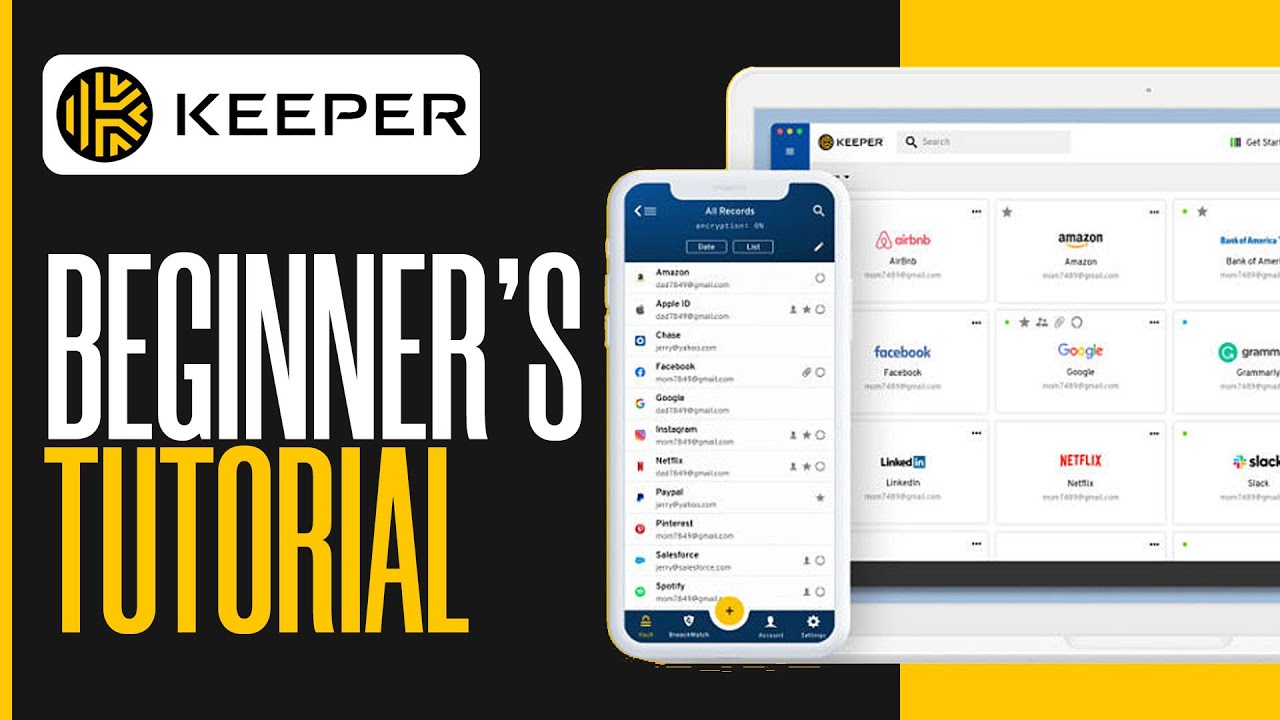
How To Use Keeper | Simple Tutorial (2025)

How To Use Keeper | Simple Tutorial (2025)

How To Use Keeper | Simple Tutorial (2025)

Smart Invoice & Receipt Processing

Smart invoice and receipt processing tools streamline financial documentation by automatically scanning, extracting data, and organizing financial records. This saves time, improves accuracy, and supports better bookkeeping workflows for small business owners and freelancers.

Wave logo

Wave

Recommended

Smart Invoice & Receipt Processing

Free

Completely free small business accounting software providing comprehensive financial management features including invoice management, expense tracking, and receipt scanning. Designed specifically for small businesses and freelancers, requires no monthly fees, supports bank connections, automatic categorization, and financial report generation - the ideal choice for budget-conscious businesses.

Main Features

Professional invoice creation and management systemSmart receipt scanning and expense trackingAutomatic bank account connection and reconciliationComplete financial reports and analysis

Main Advantages

  • ✓Completely free with no hidden fees
  • ✓Features cover core small business needs
  • ✓Clean interface easy to get started
  • ✓No long-term contract commitment required

Considerations

  • âš Advanced features relatively limited
  • âš Customer support mainly online
  • âš Fewer third-party integration options
  • âš No inventory management support

Target Audience

👤Small businesses
👤Freelancers
👤Startups
👤Budget-conscious business owners

Pricing Model

Core features completely free, paid services only for payment processing (2.9%+30¢ per transaction)

User Reputation

Well-known free platform in small business accounting software, trusted by millions of small businesses. Trusted by over 4 million users globally, providing localized services in 30+ countries. Trustpilot rating of 4.3 stars, users praise its comprehensive features and completely free model. Winner of multiple industry awards, rated as best free accounting software and most valuable financial tool.

Watch Reference Video

Wave Accounting Software Tutorial | Simplify Bookkeeping & Financial Reporting

Wave Accounting Software Tutorial | Simplify Bookkeeping & Financial Reporting

Wave Accounting Software Tutorial | Simplify Bookkeeping & Financial Reporting
Expensify logo

Expensify

Smart Invoice & Receipt Processing

Free/Paid

Smart expense management and reimbursement platform that uses AI technology to automatically scan and process receipts, simplifying expense reporting processes. Supports credit card integration, mileage tracking, multi-currency processing, provides real-time expense approval and reimbursement features, helping businesses improve expense management efficiency and reduce manual processing costs.

Main Features

AI smart receipt scanning and data extractionAutomatic expense categorization and report generationReal-time expense approval and reimbursement workflowCredit card integration and mileage tracking

Main Advantages

  • ✓AI technology significantly improves processing efficiency
  • ✓Mobile access for expense management anywhere
  • ✓Powerful integration capabilities and approval processes
  • ✓Reduces manual processing and error rates

Considerations

  • âš Free version has low scan limits
  • âš Advanced features require paid subscription
  • âš Relatively steep learning curve
  • âš May be overly complex for small businesses

Target Audience

👤Small and medium businesses
👤Teams with reimbursement needs
👤Business travelers
👤Startups needing expense management

Pricing Model

Free version 25 scans/month, Personal $5/month, Team $9/user/month, Enterprise custom pricing

User Reputation

Leading platform in expense management, widely used by numerous businesses and individual users. Trusted by over 10 million users globally, including 70%+ of Fortune 500 companies. Rated 4.5+ stars on G2 and Capterra platforms with 92% user satisfaction. Named Editor's Choice by PCMag, leading peers in AI technology and automation.

Watch Reference Video

Expensify Tutorial 2025: How To Use Expensify For Beginners

Expensify Tutorial 2025: How To Use Expensify For Beginners

Expensify Tutorial 2025: How To Use Expensify For Beginners

Real-time Income & Expense Tracking

Real-time income and expense tracking tools provide up-to-date overviews of your cash inflows and outflows. They help solopreneurs monitor spending behavior, maintain cash flow visibility, and make more informed financial decisions based on real data.

ExpenseMonkey logo

ExpenseMonkey

Recommended

Real-time Income & Expense Tracking

Free

Simple and easy-to-use expense tracking and reporting tool focused on expense management needs of small businesses and individuals. Provides intuitive expense entry interface, automatic categorization features, multiple report formats, supports receipt photography and cloud sync, helping users easily manage daily expenses and generate professional expense reports.

Main Features

Intuitive expense entry and categorization interfaceReceipt photo capture and automatic data extractionMulti-format expense report generationCloud sync and data backup

Main Advantages

  • ✓Clean interface easy to get started
  • ✓Focused functionality with strong practicality
  • ✓Completely free with no hidden fees
  • ✓Fast response speed and good user experience

Considerations

  • âš Relatively basic functionality
  • âš Limited advanced analytics features
  • âš Fewer third-party integrations
  • âš Mainly suitable for individuals and small teams

Target Audience

👤Small business owners
👤Individual users
👤Freelancers
👤Teams needing simple expense management

Pricing Model

Basic version completely free, Premium $4.99/month with more report templates and storage space

User Reputation

Practical tool in small business expense management field, known for simplicity and being free. Excellent reputation among small business owners, with users praising its intuitive interface and practical features. Completely free business model widely welcomed, helping tens of thousands of small businesses save software costs. User feedback highlights fast response speed and timely customer support, ideal choice for individuals and small teams.

Watch Reference Video

Manage All Your Expenses, Receipts, and Reimbursements | ExpenseMonkey

Manage All Your Expenses, Receipts, and Reimbursements | ExpenseMonkey

Manage All Your Expenses, Receipts, and Reimbursements | ExpenseMonkey
QuickBooks Self-Employed logo

QuickBooks Self-Employed

Real-time Income & Expense Tracking

Free/Paid

Financial management tool designed specifically for freelancers and independent contractors, providing income and expense tracking, mileage recording, and tax preparation features. Automatically categorizes transactions, tracks business expenses, calculates quarterly taxes, simplifies financial management and tax filing processes for self-employed individuals - the ideal choice for personal business finances.

Main Features

Automatic income and expense categorization trackingSmart mileage recording and calculationQuarterly tax estimation and remindersBank account connection and sync

Main Advantages

  • ✓Tailored specifically for self-employed individuals
  • ✓Seamless integration with TurboTax
  • ✓Intuit brand reputation guarantee
  • ✓Complete mobile functionality

Considerations

  • âš Relatively short free trial period
  • âš Higher monthly fees
  • âš Primarily for US market
  • âš Limited features compared to full QuickBooks

Target Audience

👤Freelancers
👤Independent contractors
👤Self-employed individuals
👤Self-employed needing tax preparation

Pricing Model

30-day free trial, $15/month, $120/year, includes tax preparation and mileage tracking features

User Reputation

Well-known brand in freelancer financial management, professional product under Intuit. As a QuickBooks family member, inherits Intuit's professional DNA in financial software field. Enjoys extremely high reputation among self-employed, users praise its accurate and reliable tax preparation features. Seamless integration with TurboTax receives unanimous user praise, simplifying tax filing process.

Watch Reference Video

Quickbooks Self Employed - 3 Years of Tutorials

Quickbooks Self Employed - 3 Years of Tutorials

Quickbooks Self Employed - 3 Years of Tutorials

Tax Compliance & Alerts

Tax compliance and alert tools help you stay up to date with changing tax laws, filing deadlines, and regulatory requirements. They notify you of potential compliance issues and guide you through necessary actions to avoid penalties.

TaxSlayer Self-Employed logo

TaxSlayer Self-Employed

Recommended

Tax Compliance & Alerts

Free

Online tax preparation and filing software designed specifically for self-employed individuals, providing simplified tax filing processes and professional tax guidance. Supports Schedule C, Schedule SE and other self-employment related tax forms, provides maximized deduction recommendations, ensures compliant filing - a reliable tax partner for freelancers and small business owners.

Main Features

Support for Schedule C and Schedule SE tax formsSelf-employed deduction maximization recommendationsOnline tax filing and electronic submissionProfessional tax guidance and compliance checking

Main Advantages

  • ✓Specifically targeted at self-employed needs
  • ✓Simplifies complex tax processes
  • ✓Maximizes tax deduction benefits
  • ✓Affordable with high value proposition

Considerations

  • âš Primarily for US tax system
  • âš Relatively basic functionality
  • âš Limited customer support
  • âš Does not support complex business taxes

Target Audience

👤Self-employed individuals
👤Freelancers
👤Small business owners
👤Independent contractors

Pricing Model

Basic version free, Premium from $17, includes more tax forms and professional support

User Reputation

Well-known platform in self-employed tax filing field, known for simplicity and affordability. Over 20 years of service experience in tax software market, serving millions of users cumulatively. Users praise its simplified tax filing process and accurate deduction recommendations, helping save significant tax costs. Better Business Bureau certified company with A+ customer satisfaction rating.

Watch Reference Video

TaxSlayer Review 2024 + Video Walkthrough And Pros And Cons

TaxSlayer Review 2024 + Video Walkthrough And Pros And Cons

TaxSlayer Review 2024 + Video Walkthrough And Pros And Cons
TaxHub logo

TaxHub

Tax Compliance & Alerts

Free/Paid

Smart tax consulting and compliance management platform providing real-time tax regulation updates, compliance checks, and professional consulting services. Uses AI technology to analyze business tax situations, provides personalized tax recommendations and risk alerts, helping businesses maintain tax compliance and optimize tax strategies.

Main Features

Real-time tax regulation updates and notificationsAI-driven tax situation analysisPersonalized tax recommendations and strategiesTax risk alerts and compliance checking

Main Advantages

  • ✓AI technology provides intelligent analysis
  • ✓Real-time updates ensure compliance
  • ✓Professional consulting reduces tax risks
  • ✓Personalized recommendations optimize tax strategies

Considerations

  • âš Advanced features require payment
  • âš Mainly for complex tax situations
  • âš Requires some tax knowledge foundation
  • âš Service scope may have geographical limitations

Target Audience

👤Small and medium enterprises
👤Tax professionals
👤Companies needing compliance management
👤Businesses with complex tax situations

Pricing Model

Basic consulting free, Professional $29/month, Enterprise $99/month with deeper analysis and consulting

User Reputation

Innovative platform in intelligent tax management field, known for AI technology and professional consulting services. Won multiple innovation awards in tax technology field, rated as most promising tax AI platform. Professional tax advisor team provides support, ensuring accuracy and professionalism of consulting recommendations. User feedback highlights powerful AI analysis capabilities, able to identify tax optimization opportunities difficult to find with traditional methods.

Watch Reference Video

Taxhub explainer video

Taxhub explainer video

Taxhub explainer video

Financial Reports & Insights

Financial reports and insights tools consolidate accounting data into dashboards, visualizations, and actionable metrics. They help solopreneurs understand profitability, cash flow, and financial trends — essential for strategic planning and sustainable growth.

Bench logo

Bench

Recommended

Financial Reports & Insights

Free/Paid

Professional online bookkeeping and financial reporting service providing human + software combined accounting solutions for small businesses. Professional accountant teams handle daily bookkeeping work, generate monthly financial statements and tax preparation documents, allowing business owners to focus on business development without worrying about complex accounting work.

Main Features

Professional accountant team handles daily bookkeepingMonthly financial statements and tax preparation documentsHuman + software combined accounting solutionReal-time financial data and professional analysis

Main Advantages

  • ✓Professional accountants ensure accuracy
  • ✓Human + software combination improves efficiency
  • ✓Allows business owners to focus on business development
  • ✓Comprehensive financial management services

Considerations

  • âš Relatively high pricing
  • âš Primarily serves US market
  • âš Requires bank account connection
  • âš Not suitable for complex business structures

Target Audience

👤Small businesses
👤Startups
👤Business owners needing professional bookkeeping
👤Companies wanting to outsource finance

Pricing Model

Basic reports free (registration required), Professional service from $190/month, includes complete bookkeeping and financial reporting

User Reputation

Well-known brand in professional bookkeeping services field, known for human + software combination and service quality. Serves over 100,000 small businesses with customer renewal rate exceeding 95%. Received multiple industry certifications including AICPA recognition and SOC 2 Type II security certification. Users praise its professional accountant team for high service quality, with excellent accuracy and timeliness of financial statements.

Watch Reference Video

Bench Accounting Tutorial | How to Use Bench for Bookkeeping 2025

Bench Accounting Tutorial | How to Use Bench for Bookkeeping 2025

Bench Accounting Tutorial | How to Use Bench for Bookkeeping 2025
Xero logo

Xero

Financial Reports & Insights

Free/Paid

Leading cloud accounting software providing complete financial management solutions for small and medium enterprises. Includes invoice management, bank reconciliation, financial reporting, inventory management and other features, supports 800+ third-party app integrations, provides real-time financial insights and professional reports, helping businesses make informed financial decisions.

Main Features

Complete cloud accounting and financial management800+ third-party app integration ecosystemReal-time financial reports and business insightsSmart invoice management and bank reconciliation

Main Advantages

  • ✓Powerful features covering all enterprise needs
  • ✓Rich integration options and scalability
  • ✓Professional-grade financial reports and analysis
  • ✓Globally recognized brand and service

Considerations

  • âš Relatively high monthly fees
  • âš Complex features with high learning costs
  • âš May be feature-heavy for small businesses
  • âš Customer support has geographical limitations

Target Audience

👤Small and medium enterprises
👤Growing companies
👤Companies needing professional financial management
👤Organizations with complex financial needs

Pricing Model

30-day free trial, Early $13/month, Growing $37/month, Established $70/month

User Reputation

Global leading cloud accounting software brand with extremely high reputation in enterprise financial management. Trusted by over 3 million users globally, providing services in 180+ countries and regions. Winner of various industry awards for multiple consecutive years, including best cloud accounting software and most innovative financial platform. Users praise its powerful features and rich integrations, making it the ideal choice for SME digital transformation.

Watch Reference Video

Xero - How to do the Basic Setup - Quick & Easy

Xero - How to do the Basic Setup - Quick & Easy

Xero - How to do the Basic Setup - Quick & Easy

Frequently Asked Questions

Financial and tax tools help solopreneurs automate bookkeeping, invoice processing, tax calculation, and reporting tasks. They increase accuracy, reduce manual workload, and provide insights into financial performance.

Automated tax calculation tools automatically compute taxes based on your income and transactions, reducing manual effort and minimizing errors. They help you stay compliant with local tax rules and avoid costly penalties.

Yes — smart invoice and receipt processing tools can scan receipts, extract data, and categorize transactions automatically. This streamlines record-keeping and saves significant time for small business owners.

Real-time tracking gives you an up-to-date view of your cash flow and spending patterns. It helps you make better decisions on budgeting, cost reduction, and investment priorities.

Tax compliance means following all relevant tax laws and deadlines. Alert systems notify you of upcoming filing dates, regulatory changes, and compliance issues so you can act quickly and avoid fines.

Financial reports summarize key metrics like revenue, expenses, and profitability, providing a big-picture view of your business health. They help you make data-backed decisions and communicate performance to stakeholders.

Yes — many financial tools are designed with intuitive dashboards and guided workflows that make them accessible to non-accountants. Built-in automation features reduce the need for advanced accounting skills.

Many financial tools offer integrations with bank accounts, payment platforms, and accounting software. These connections improve data accuracy and give you a unified view of your finances.

Yes — tax automation tools often include features to organize deduction data, generate reports, and even submit filings directly to tax authorities or export necessary forms.

Important metrics include cash flow, profit margins, expense ratios, tax liabilities, and trend forecasts. Tracking these helps you optimize spending, plan for growth, and maintain financial stability.

Share the Joy and Fun!
Spread the word to your friends and community.